
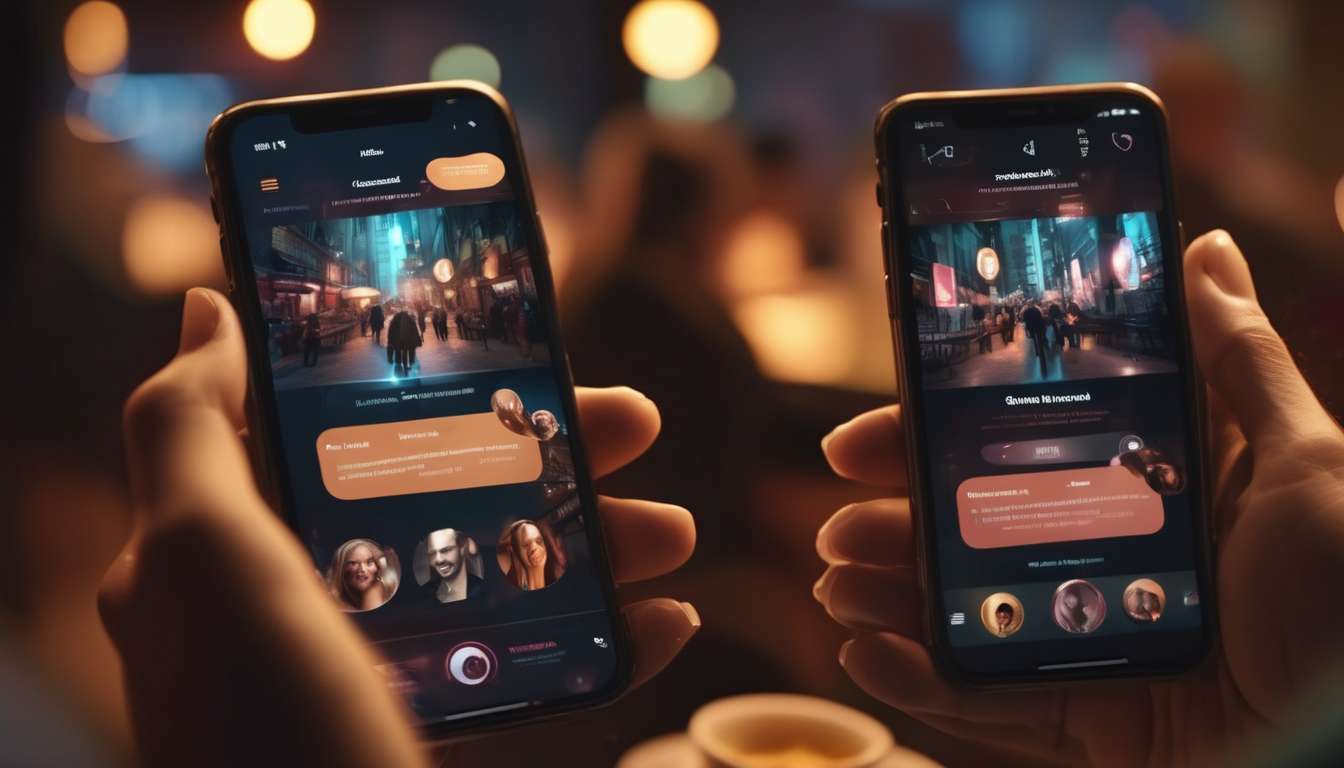
This evening we swipe through profiles over coffee, laughing at bios that once would have been penned in a notebook.
We remember when desktop sites framed our courting rituals — longer bios, carefully chosen photos, messages composed at leisure — and how abruptly habits shifted as smartphones became our constant companions.
We find ourselves composing shorter, punchier openers between meetings, judging chemistry by a selfie and a three-second video, and expecting instant replies that either spark momentum or stall it entirely.
Designers and product teams watched these microbehaviors and redesigned interfaces to fit our fragmented attention:
- Ephemeral stories
- Location-based prompts
- Algorithmic nudges that prioritize immediacy and mobility
As adults navigating careers, families, and shifting schedules, we demand dating experiences that respect our time while preserving authenticity.
This article explores how our mobile-driven behaviors reshaped adult dating platforms, the trade-offs we accept for convenience, and the design choices aimed at balancing serendipity with efficiency.
Attention in Short Bursts
Users scan profiles in quick, fragmented bursts, so designs must surface key information instantly.
We prioritize micro-moments by highlighting what matters up front:
- Age range
- Shared interests
- Availability cues
We craft compact summaries that invite connection without overwhelming, because people want to feel seen.
We embrace location-based matching to make encounters feel relevant and immediate:
- Show proximity
- Offer time-sensitive suggestions
- Respect privacy while fostering serendipity
We design for ephemeral interactions—short-lived chats, disappearing prompts, and timed meet-up options—so people can explore chemistry without long-term pressure.
We keep controls intuitive and language inclusive, helping members express boundaries and preferences quickly.
We test bite-sized features continuously, measuring whether a glance leads to action, and iterate until each element earns trust.
By optimizing for rapid attention spans and a sense of belonging, we create spaces where people can connect authentically in the fleeting rhythms of mobile life.
Visual-First Profiles
We prioritize striking visuals and concise captions so users can assess chemistry at a glance and start conversations with confidence.
We craft profiles that foreground photos, short bios, and clear prompts to help people feel seen and understood without long scrolling.
In a mobile-first world, micro-moments shape decisions, so every image and line must communicate intent and personality instantly.
We design for belonging by encouraging authentic visuals that reflect everyday life and shared interests.
- This reduces friction for newcomers and regulars alike.
- Authentic photos increase recognition and relatability.
Location-based matching complements visual cues, helping users find nearby people whose style and context align.
- Proximity + visual context improves relevance and encourages real-world meetups.
We support ephemeral interactions—temporary story-like media and timed highlights—that let members express mood and availability without permanent commitment.
- Ephemeral content lowers stigma for experimentation and keeps profiles fresh.
We balance safety and expression through verified visuals and simple reporting tools, so community norms stay inclusive.
- Verified photos increase trust.
- Easy reporting and clear feedback loops maintain safety without over-policing expression.
By keeping profiles visual, concise, and context-aware, we help users move from curiosity to connection faster while maintaining trust and a sense of belonging.
Messaging for Mobility
We optimize messaging for on-the-go lives.
We design short, context-aware prompts and quick-reply options so conversations stay natural, safe, and easy to continue between activities.
We craft messages that respect micro-moments.
We anticipate brief pockets of attention and offer meaningful ways to connect without demanding long responses.
Our tone welcomes users into a community.
Quick check-ins feel personal and inclusive, not disposable.
We integrate location-based matching cues subtly.
- Nearby opportunities can be suggested without pressuring anyone.
- Prompts nudge meetups or shared nearby interests while preserving consent and context.
We support ephemeral interactions for lighter, temporary exchanges.
- People control duration and visibility.
- Users can explore connection with confidence.
We prioritize clear safety signals and easy escalation paths.
- Everyone knows they belong and are protected.
By focusing on concise, considerate messaging,
we help conversations flow naturally across busy days and foster a sense of belonging even in short, mobile moments.
Time-Aware Matchmaking
We tune matching and suggestions to people’s real schedules and time constraints so connections happen when they actually can meet or chat.
We prioritize micro-moments—those brief windows between tasks—by surfacing matches who are available in the same short timeframe, making it easier to act on spontaneous interest.
We respect routines and calendar signals, nudging people toward conversations or meetups that align with lunch breaks, commutes, or evening free time.
We design for ephemeral interactions that feel low-pressure.
- Timed chats
- Short video slots
- Temporary profiles that encourage honest, present-focused exchanges
We use location-based matching to suggest nearby, time-aligned opportunities, while avoiding persistent stalking or intrusive tracking.
- Proximity is a convenience, not surveillance
- Availability is communicated clearly in the interface
- People can opt in to short-lived invites
Our tone and UX foster a warm, inclusive environment so everyone feels welcome to join a quick conversation.
Time-aware matchmaking reduces friction and helps genuine, timely connections form.
Location-Driven Discovery
We surface nearby people and places to make spontaneous, safe meetups and local conversations easy to start.
We design around micro-moments — those brief, intent-rich instances when someone wants connection now — and use location-based matching to turn those impulses into relevant opportunities.
By highlighting shared routines, favorite cafés, and nearby events, we help people feel seen and included without overwhelming them.
We prioritize consent and control.
- Distance bands let members choose how close others must be to discover them.
- Visibility windows let members control when they are discoverable.
- Easy opt-outs let members stop being discoverable at any time.
We support contextual prompts that encourage friendly openings tied to place or activity, so introductions feel natural and grounded.
We enable quick, in-person possibilities while avoiding treating every encounter as permanent.
- We consider ephemeral interactions meaningful without demanding long-term commitment.
- We provide feedback loops so people can report experiences and refine what feels welcoming.
Our approach balances immediacy with safety, helping people find belonging in the places they already inhabit.
Ephemeral Interaction Design
We design short-lived features that let people connect, experiment, and leave without pressure, treating brief encounters as valid outcomes rather than failures.
We build around micro-moments—those quick impulses to meet, flirt, or share a laugh—so members feel seen and included in the moment.
By combining micro-moments with location-based matching, we make nearby, time-sensitive connections simple and relevant, supporting gatherings that feel spontaneous and consensual.
We create clear affordances for ephemeral interactions:
- limited-time profiles
- disappearing messages
- event-based rooms that close when the moment passes
We prioritize mutual control, so everyone can opt into short-term contact without stigma.
Our UX signals encourage playful exploration while honoring boundaries, reducing anxiety about long-term commitment and fostering a sense of belonging among people who seek fleeting, meaningful encounters.
We measure success by participant satisfaction and voluntary re-engagement, not by forcing prolonged interaction, ensuring our platform supports diverse ways to connect.
Trust and Safety Signals
We signal trust and safety through clear, visible cues — verified badges, behavior-based reputation scores, and contextual guidance — so members can quickly assess risks and make confident choices.
We design signals that feel welcoming, not punitive, because people seek connection and belonging while needing reassurance.
In micro-moments (quick taps and glances on mobile), we surface concise explanations:
- why a badge exists
- what a score means
- which actions are recommended next
We tie signals to location-based matching carefully by showing proximity with safety prompts about meeting in public and verifying presence without exposing exact coordinates.
For ephemeral interactions, we emphasize consent and fleeting visibility:
- previews indicate when content will vanish
- controls let members extend or revoke access
We promote community norms through gentle nudges and escalation paths when issues arise.
By making safety cues intuitive and communal, we help members feel supported, respected, and empowered to build authentic connections.
Monetization and Convenience
We balance monetization with convenience by offering clear, optional paid features that speed up meaningful interactions without disrupting free users’ core experience.
We design pricing so people feel included, not gated off.
- Boosts, profile highlights, and premium filters are opt-in tools that respect community norms and help members connect faster during micro-moments.
- Pricing and feature placement are intended to invite participation, not exclude it.
We prioritize features that enhance real-time needs.
- Location-based matching to find nearby companions.
- Timed visibility for events.
- Streamlined messaging for faster coordination.
Paid options are focused on solving specific problems rather than creating FOMO.
We support ephemeral interactions as low-pressure ways to explore chemistry.
- Disappearing messages.
- Short-lived profiles.
- These remain available at no cost or as low-cost upgrades so everyone can try softer, transient connections.
We test offerings transparently and iterate based on feedback.
- Collect user feedback and usage data.
- Refine features and pricing to reflect demonstrated value.
- Roll out changes while preserving core safety and belonging.
By aligning monetization with convenience, we create a platform where members choose upgrades that deepen connection, not erect barriers to being seen and accepted.
How do accessibility needs (for users with visual, auditory, motor, or cognitive impairments) change when dating apps move to mobile-first, and what design features should platforms add beyond the sections listed?
Summary of the accessibility shift for mobile-first dating apps
Mobile-first dating apps require prioritizing accessibility features that work well on small touchscreens and in on-the-go contexts. Focus should be on scalable text, robust screen reader support, clear visual contrast, large touch targets, simplified flows, and customizable UIs. These requirements shift how features are designed compared with desktop-first experiences.
Key accessibility requirements and why they matter
-
Scalable text
- Supports users with low vision or reading difficulty.
- Ensures content remains legible at larger sizes without layout breakage.
-
VoiceOver / TalkBack support
- Enables non-visual navigation of profiles, messaging, and controls.
- Requires correct semantic labels, reading order, and dynamic announcements.
-
Clear contrast and captions
- Improves legibility in varied lighting and for color-vision deficiencies.
- Captions and transcripts make audio/video accessible to deaf or hard-of-hearing users.
-
Large touch targets
- Helps users with motor impairments or users interacting while moving.
- Reduces accidental taps and makes interaction easier on small screens.
-
Simple flows and error prevention
- Minimizes cognitive load and reduces recovery steps.
- Use progressive disclosure, meaningful defaults, autosave, and inline validation.
-
Customizable UI
- Allow users to change font size, color themes (including high-contrast), and spacing.
- Offer gesture alternatives and control remapping for users who cannot perform certain gestures.
Concrete features to add
-
Screen-reader-friendly profile summaries
- Provide concise, structured summaries that screen readers can announce quickly.
- Include ARIA or platform-native accessibility labels for name, age, distance, and key traits.
-
Audio descriptions for images
- Let users attach or auto-generate short audio descriptions for profile photos.
- Provide an easily discoverable control to play/pause descriptions.
-
Captions and transcripts for audio/video
- Auto-generate captions with a human-edit option, and provide downloadable transcripts.
- Support caption styling (size, color, background opacity).
-
Haptic confirmations
- Use subtle haptics for successful actions (match, message sent) and important warnings.
- Allow users to disable or adjust intensity.
-
Keyboard and assistive-device compatibility
- Ensure full navigation and actions work with external keyboards, switch devices, and voice control.
- Implement logical tab order, focus indicators, and keyboard shortcuts for common actions.
-
Large, consistent touch targets and spacing
- Minimum recommended tappable size (e.g., 44–48px) and increased spacing in dense lists.
- Make drag/swipe actions optional or provide buttons as alternatives.
-
Simple onboarding and task flows
- Offer an accessible onboarding path with fewer screens and clear progress markers.
- Use inline guidance, undo/confirm choices, and prevent data loss on navigation.
-
Customizable gesture alternatives
- Provide alternatives for swipe-to-like/dislike (buttons, long-press, contextual menus).
- Offer gesture sensitivity settings and the ability to disable gestures.
-
Error prevention and inline validation
- Validate inputs in real time, show clear, accessible error messages, and suggest fixes.
- Use polite confirmations for destructive actions (delete, block).
-
Easy-access help and safety resources
- Prominently place accessible help, reporting, and safety features (readable, screen-reader-labeled).
- Include quick-access emergency contacts and guidance on reporting harassment.
Implementation guidance and best practices
-
Semantic markup and platform accessibility APIs
- Use native accessibility roles, labels, hints, and actions rather than custom solutions.
- Ensure dynamic content updates are announced (e.g., new messages, match notifications).
-
Test with real assistive technologies and users
- Regularly test with VoiceOver, TalkBack, switch controls, screen magnifiers, and keyboard-only navigation.
- Conduct usability testing with people with diverse disabilities.
-
Design for variable contexts
- Consider use while walking, in bright sunlight, or in noisy environments — support audio captions, high contrast, and offline access to key features.
-
Performance and battery considerations
- Optimize media and background processes so accessibility features (text scaling, TTS) don’t degrade responsiveness.
-
Personalization and persistence
- Persist accessibility preferences across sessions and devices.
- Offer easy-to-find settings for accessibility choices during onboarding and in the main settings.
Prioritization roadmap (suggested ordering)
- Core readability & navigation
- Scalable text and responsive layouts.
- VoiceOver/TalkBack support and semantic labeling.
- Interaction reliability
- Large touch targets and keyboard/assistive-device compatibility.
- Gesture alternatives and spacing adjustments.
- Media accessibility
- Captions, transcripts, and audio descriptions.
- Haptic feedback and accessible media controls.
- User control and safety
- Customizable UI themes and gesture settings.
- Accessible help, reporting, and safety resources.
- Polish
- Error-prevention UX, inline validation, and announcements.
- Performance optimizations and persistent personalization.
Metrics to measure success
- Accessibility testing coverage (percentage of screens tested with assistive tech).
- User-reported accessibility issues and time-to-fix.
- Engagement metrics for users who enabled accessibility features (retention, session length).
- Task success rates and time-on-task in usability tests with users with disabilities.
- Error and recovery rates for critical flows (profile setup, matching, messaging).
If you’d like, I can convert this into a prioritized feature spec with estimated effort levels, sample screen-reader copy for components (labels/hints), or a checklist your dev and QA teams can use for accessibility testing. Which would help most next?
What are the long-term effects of mobile-centric dating on relationship quality and mental health, and how should platforms responsibly address potential harms over time?
Question: We’re asking how mobile-centric dating shapes relationship quality and mental health long-term, and how platforms should mitigate harms.
Observation: We’ve seen faster, surface-level connections, swipe fatigue, and comparison-driven anxiety that can erode trust and deepen loneliness.
Design goals: We’ll build features that encourage meaningful interaction, limit endless browsing, offer mental health resources, and monitor harmful patterns.
Research & implementation plan:
- Partner with clinicians and researchers to define measurable outcomes (e.g., relationship satisfaction, loneliness, anxiety).
- Evaluate outcomes through randomized pilots and longitudinal studies.
- Iterate product features based on evidence and user feedback.
Recommended features and policies:
-
Encourage meaningful interaction
- Conversation prompts that require thoughtful responses.
- Time-limited moves from matching to messaging to reduce ghosting.
- Structured onboarding to surface intentions (casual, serious, etc.).
-
Limit endless browsing
- Daily match caps or timed swiping sessions.
- “Focus modes” that pause discovery and prioritize existing conversations.
- Friction points for rapid serial matching (cooldown periods).
-
Offer mental health resources
- In-app access to psychoeducation about social comparison and digital fatigue.
- Clear signposting to crisis resources and therapy directories.
- Optional wellbeing check-ins after repeated negative interactions.
-
Monitor and mitigate harmful patterns
- Signals-based detection of harassment, predatory behavior, and serial rejection patterns.
- Automated nudges or temporary restrictions for abusive behaviors.
- Aggregate monitoring to spot population-level harms (e.g., rising loneliness metrics).
Evaluation metrics: Relationship quality at 6–12+ months, mental health symptom scales, retention of healthy users, declines in harassment reports, and user-reported perceived meaningfulness of connections.
Principles: Prioritize user wellbeing over engagement-maximizing mechanics, use evidence-driven iteration, and maintain transparency with users about data use and safeguards.
How do privacy laws and regulations across different countries (e.g., GDPR, CCPA) specifically constrain mobile-native features like background location scanning, ephemeral media, or push-notification profiling?
Overview: How global privacy laws affect mobile-native features
Global laws such as the GDPR and CCPA impose core constraints that directly limit how mobile apps implement background location scanning, ephemeral media, and push-notification profiling. Key legal requirements include clear and informed consent, purpose limitation, data minimization, storage limitation, and user rights (access, rectification, deletion, portability).
Background location scanning
Background scanning is high-risk because it can reveal continuous, sensitive movement patterns. Under laws like the GDPR:
- Consent must be specific, informed, and unbundled — background access cannot be hidden in a generic permission prompt.
- Data minimization and purpose limitation — collect only what is necessary for the stated feature (e.g., coarse location vs. precise; intermittent checks vs. continuous tracking).
- Transparency and control — provide in-app explanations, easy toggles, and an obvious way to revoke background access.
- DPIAs and additional safeguards — background tracking often triggers a Data Protection Impact Assessment (DPIA) and may require extra measures (encryption, access controls, limited retention).
Ephemeral media (stories, disappearing messages)
Ephemeral content reduces risk but does not remove obligations. Legal implications:
- Short retention and purpose-driven storage — keep ephemeral media only as long as needed and document retention policies.
- User control and disclosure — clearly state what “ephemeral” means (e.g., recipients can screenshot or copy), and obtain consent for any non-ephemeral processing.
- Minimization of derived profiling — avoid creating durable profiles from ephemeral exchanges unless explicitly disclosed and lawful.
- Rights must be supported — even ephemeral data may be subject to access or deletion requests while retained.
Push-notification profiling and behavioral targeting
Profiling via notifications is a form of behavioral processing that can be intrusive. Constraints include:
- Lawful basis and consent — profiling that produces personal data for targeting typically requires opt-in consent (GDPR) or clear disclosure and opt-out mechanisms (CCPA).
- Limited scope and transparency — disclose profiling purposes, the categories of data used, and provide ways to opt out or limit profiling.
- No stealth profiling — you cannot infer sensitive attributes or build covert profiles from notification interactions without meeting legal requirements.
- Provide simple controls — per-type toggles (e.g., transactional vs. marketing notifications) and settings to block profiling-based pushes.
Practical design principles to stay compliant and protect users’ sense of belonging
- Favor transparent defaults — default to privacy-preserving settings and require affirmative, granular opt-ins for more invasive features.
- Offer granular opt-ins — separate consent for background location, personalized notifications, and any profiling-derived features.
- Enforce data minimization and short retention — collect the minimum necessary and automatically purge ephemeral or profiling-related data after a short, documented period.
- Conduct robust DPIAs — assess risks, document decisions, and implement mitigating controls for background tracking and profiling features.
- Support user rights and easy controls — provide simple in-app ways to access, export, correct, or delete personal data and to revoke consents.
- Log and document processing — keep records of consents, DPIAs, retention schedules, and data flows to demonstrate compliance.
Takeaway
You cannot stealthily collect background location or profile users via notifications without satisfying legal requirements like informed consent, purpose limitation, and data minimization. Design for transparency, granular consent, short retention, and documented risk assessments to both comply with laws such as GDPR/CCPA and foster user trust and belonging.
Conclusion
Mobile use reshapes adult dating design. Attention comes in short bursts, so interfaces must be fast and scannable. Visuals should lead, and messaging must work well on the go.
Designers rely on time-aware matching and location-driven discovery. These features help users meet people when and where it matters, increasing relevance and immediacy.
Ephemeral features match mobile attention spans. Temporary content and short-lived interactions reduce commitment friction and keep engagement aligned with quick sessions.
Clear trust signals and seamless payments are expected. Users want obvious safety cues and frictionless transactions for convenience and confidence.
Design priorities: speed, context, and safety.
- Prioritize speed — fast loading, minimal steps, instant feedback.
- Design for context — awareness of time, location, and session length.
- Build safety — visible verification, reporting, and privacy controls.
Result: Mobile-first dating experiences must balance quick interactions, contextual relevance, and strong trust mechanisms to fit users’ mobile lives.